

Project Details
A product workflow for turning popular game ideas into editable TikTok templates.
- My role
- Game design · Visual design · Code
- Date
- 2026
- Tools
- Claude Code OpenAI Codex AI Image + Video Tools Effect House
Outfit Builder
Players tap through clothing categories and build a look around themselves.
The final version keeps the creator—not a virtual character—at the center.
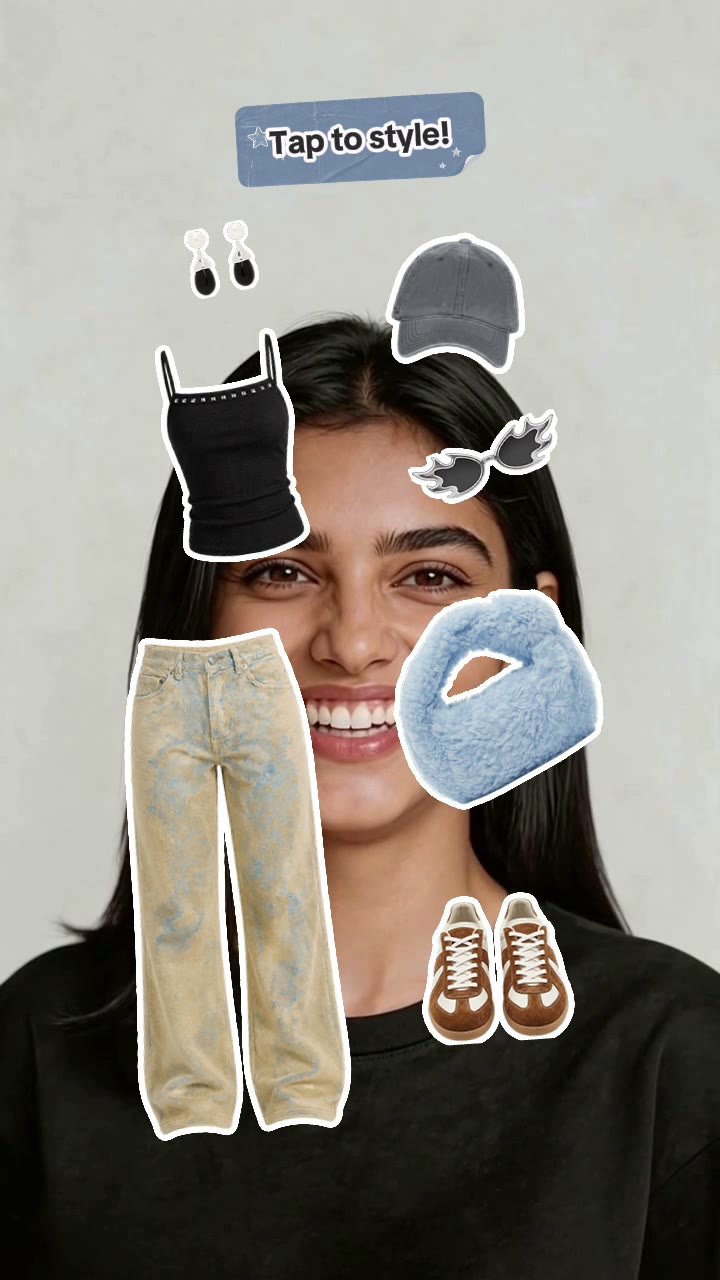
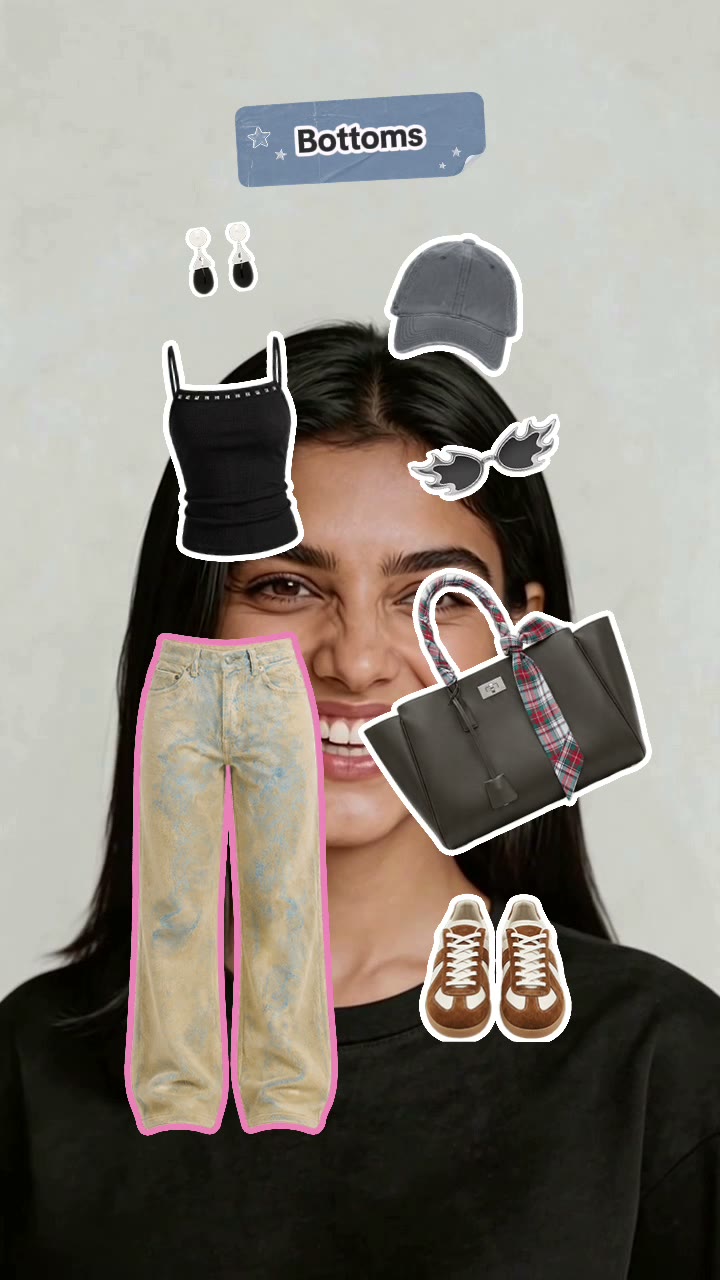
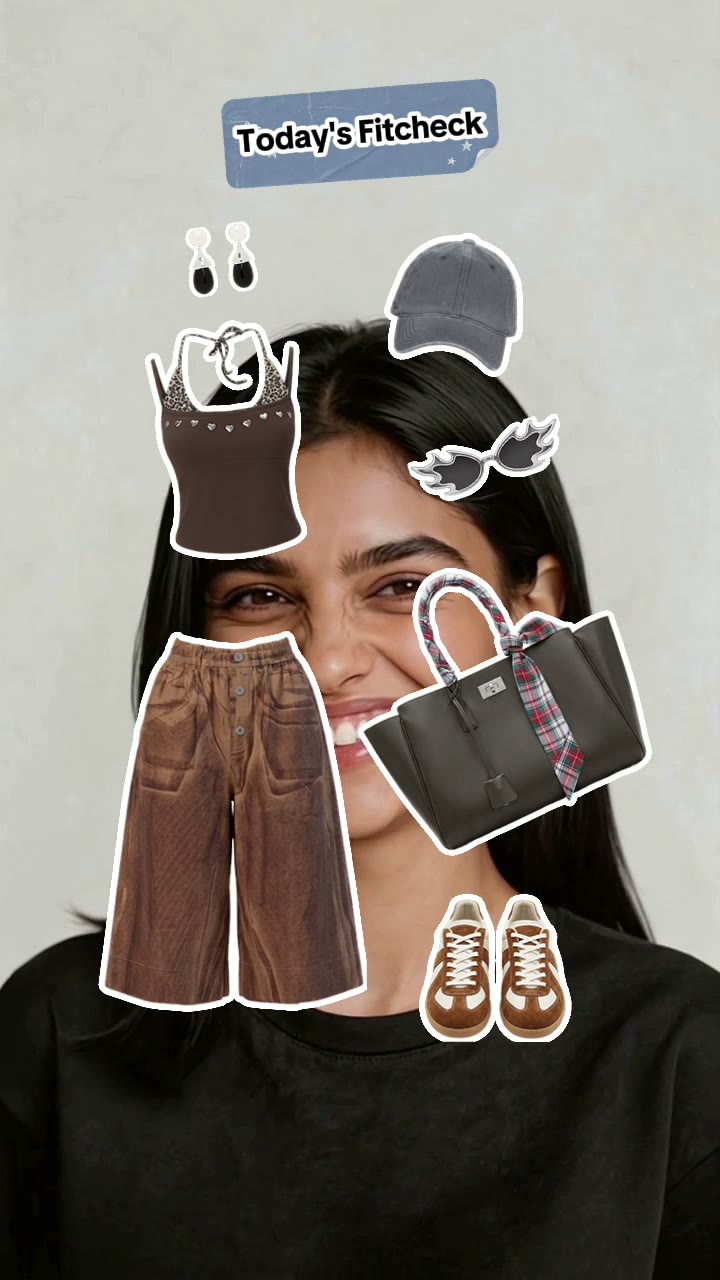
Tap to change one clothing category at a time, keep the pieces you like, and finish with a shareable fit check.
Design ConstraintEvery item needs to frame the creator without covering their face. The size and position rules also need to work with replaceable wardrobes.
Template ValueCreators can replace the clothing and visual theme while keeping the category logic, tap interaction, feedback, and final reveal.
Starting Point
Most outfit games I found used a simple tap to generate a random look. The idea was easy to understand, but the experience felt too passive.

Virtual Character Prototype
I used AI to create one consistent character and a modular wardrobe. Players could tap through clothing options and style the character.

What Playtesting Changed
The virtual character worked technically, but it made the experience feel less personal. Players were styling someone else instead of imagining the outfit on themselves.

Earlier Playable Version
After moving back to a camera-centered experience, I built this version to test category selection, locking choices, restyling individual pieces, and the final fit check. I kept it as part of the process because it shows how the interaction worked before the final visual and motion pass.
Choose a category, preview each item, lock a choice, and finish a look while the creator stays visible.
Design ConstraintEvery item must fit the same body and camera view. It must also be easy to replace, recolor, or add to.
Template ValueThe reusable part is the selection system, not one outfit. Creators can change the wardrobe while keeping the controls and feedback.
Final User-Centered Version
In the final pass, I kept the creator visible and made the category labels, selection feedback, motion, and final reveal clearer. The core interaction stayed simple, but the result felt faster, more playful, and easier to read.
Game Template UI Standards
I first made shared rules for instructions, feedback, results, and replay.
The rules keep the camera visible and make each game easier to learn and edit.
The instruction screen uses clear type, safe spacing, and a reusable pop-up. Players can understand the first action without losing sight of the camera.

Score and win-or-lose games use the same result layout and replay button. This makes every ending clear and familiar.

Tap to Escape
This game has one action: tap quickly before the enemy reaches the player.
I kept the creator on screen and separated the game rules from the art, so future creators can change the theme without rebuilding the game.
- 01One Main Action
Tap is the only control, so the game is easy to learn.
- 02Clear Pressure
The timer, score, gate, and enemy all show how much time is left.
- 03Short Full Game
Instructions, play, result, and replay happen in one short session.
Game States
Five states show the full experience from instructions to replay.
The controls stay in the same place, so players do not have to relearn them.


Editable Art System
The background, gate, player, enemy, and result graphics are separate files.
Creators can replace the art without changing the tap, timer, score, win, fail, or replay rules.
The layered scene keeps the creator, player, and enemy easy to separate.

Every part uses the same scale, so theme changes stay simple.


Latest Game Flows
Three new templates extend the system into randomized styling, photo-based matching, and social rhythm play.
Each flow keeps the creator visible and makes the interaction, feedback, and result easy to scan in one sequence.
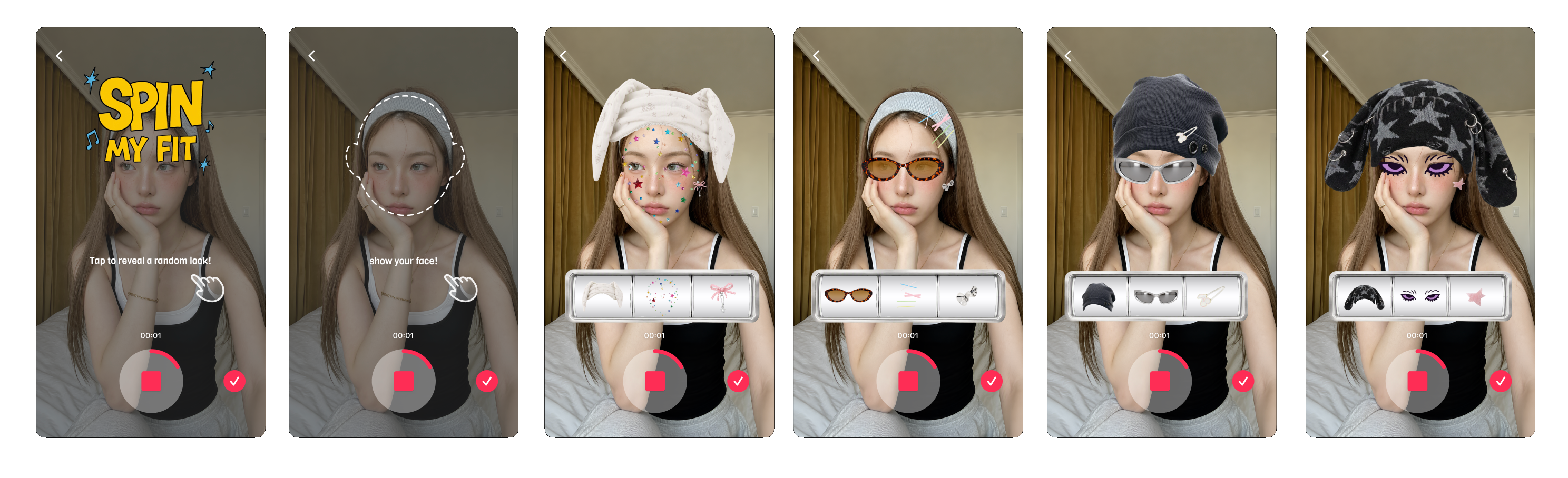
A photo dress-up game that moves from a one-tap introduction and face check into randomized accessory combinations. Each spin creates a new hat, face detail, and eyewear result around the creator.
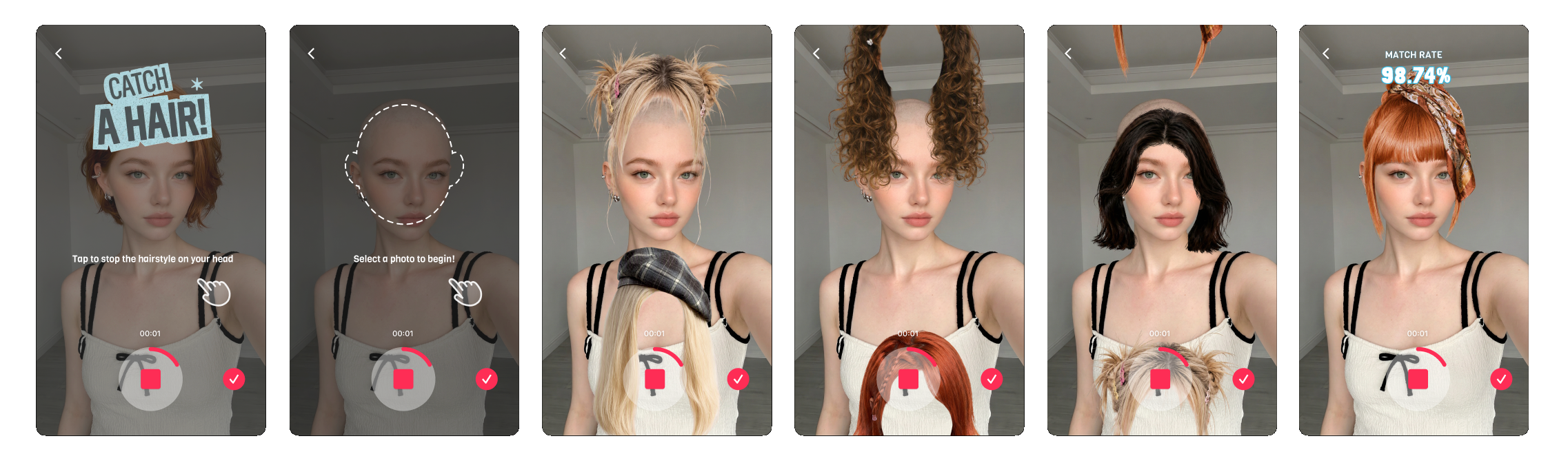
A hairstyle matching game built around photo selection and a stop-to-choose interaction. The flow moves from onboarding to fast hairstyle previews, then ends with a clear match-rate result.
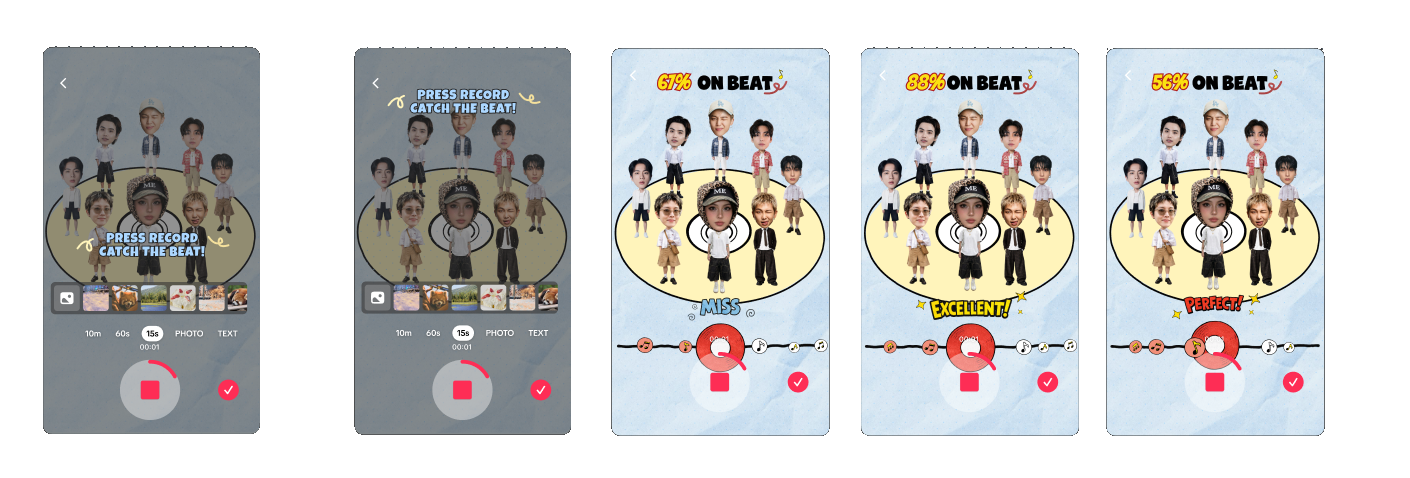
A social rhythm game that turns a group photo into a playful band. Players record on the beat, follow the timing track, and receive immediate Miss, Excellent, or Perfect feedback.
More Shipped Templates
Three additional releases show how the same workflow extends to precision challenges, logic puzzles, and character assembly without rebuilding the production system.
Template 03 · Food Split Challenge
Tap to divide the food as evenly as possible, then compare the two results. The reusable system combines a precision action, instant numerical feedback, and a retry loop.Template 04 · Fruit Match Puzzle
Rotate each row until every fruit aligns with its color group. The template separates puzzle rules from visual assets so creators can replace the theme without rebuilding the logic.Template 05 · Paper Doll Rescue
Lock each body piece, then tap the correct area to rebuild the character. Creators can replace the avatar, outfit, and difficulty without changing the game rules.How it was made
Reusable Workflow
Every template uses the same five steps, from trend research to a tested Effect House experience that another creator can change.
- 01Research
Find a popular social game idea.
- 02Define Rules
Map the action, states, score, and replay.
- 03Design
Create an original set of editable art assets.
- 04Build
Code the logic and bind editable controls.
- 05Ship
QA the full loop and package for remixing.